![OsteoidHelpCenter_logo.png]](https://learn.osteoidinc.com/hs-fs/hubfs/OsteoidHelpCenter_logo.png?height=40&name=OsteoidHelpCenter_logo.png)
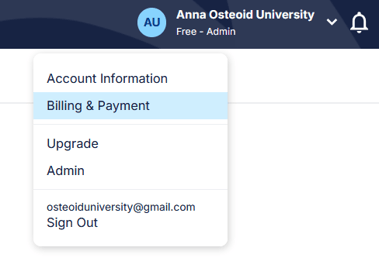
- From the Case Dashboard, click your name (top right), then Billing & Payment
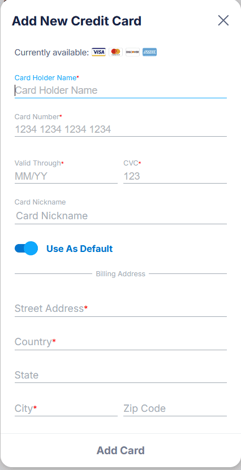
- Click the Payment section, then New Card

- After entering your card information, be sure to set it as the Default, then click Add Card
- Then click back to the Plan page, and change your payment method to complete this update.
